In AWT Java we have a Frame class which is inherit from window class. If you are a beginner in AWT Java then you know that Frame doesn't close when we press close button of it. So, In last we pressed stop debugging button in Netbeans IDE. If you want to close Frame using Close button, which is see in top right corner of Frame then you should implement code for it.
If you want to pass value from controller to view in asp.net MVC, we have two methods. The first method of it is ViewBag and last is ViewData, both are used to pass data from controller to view. ViewBag object creates a dynamic variable and ViewData creates a dynamic key like ViewState in ASP.NET. Learn, How to use ViewBag in MVC for single variable as well as List<String> type variable.
In controller class, we used ViewBag.Dynamic_variable = "Value" and in View we used @ViewBag.Dynamic_Variable_Name. Also, learn how to pass value from controller to view using ViewData.
If you want to design login control then must to set the special character in password box. Today, we will learn, how to design password box in WPF. In WPF, we have a PasswordBox tag in XAML , through this we can add Password box in WPF. I have a simple login control through you can see password control.
In this WPF article, I will show you, single checkbox enable all other remaining checkboxes; if it is unchecked then remaining them also unchecked. To do this task, first of add single checkbox for all other checkboxes in the stack panel. Now, add other child checkboxes in nested stack panel. look at, simple xaml code view.
Here, we have checked and unchecked events. Both are calling same function in "Allselect" checkbox. In the child checkboxes also we have checked and unchecked event , they are calling same method. So in this program we have two method that is "AllSelect_Checked" and "singlecheckjava_Checked".
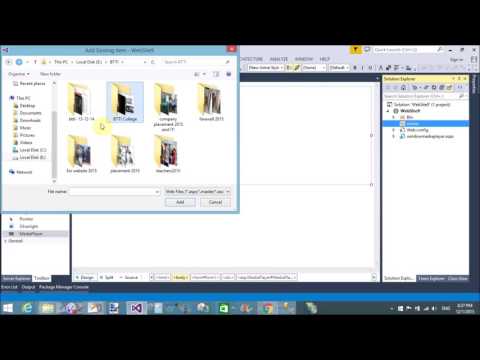
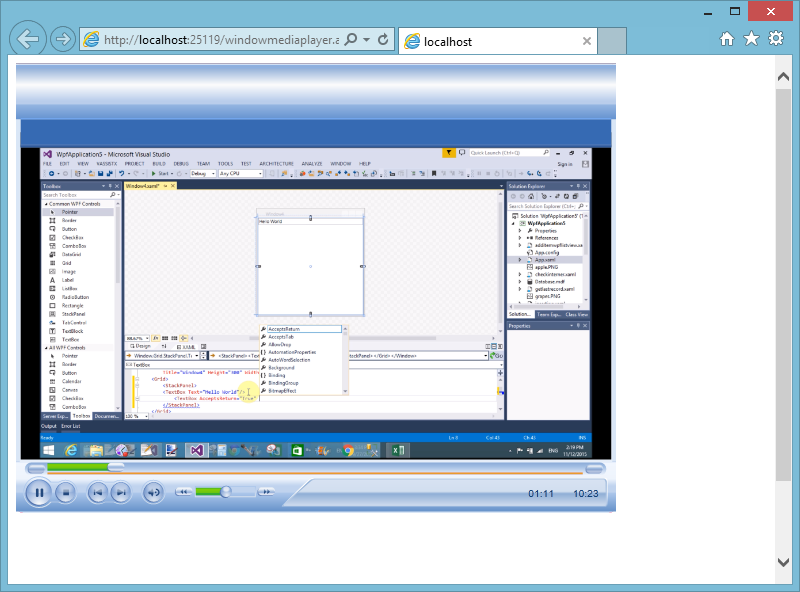
In this article, I will show you how to play mp4 and WMV file in asp.net. To do this task first to install Silverlight into your computer by the following link. After installed Silverlight, add System.Web.Silverlight.dll file reference in the bin folder. Add media player component in ToolBox by using right click on toolBox.
Right click on toolbox--> choose Items...--->.Net Framework Components--> Click on Browse Button also select System.Web.Sliverlight from uncompressed folder.
Drag Media player control from ToolBox to Web Form. Set Required property that is mentioned below.
Media Source = ~/movie/first.mp4
Here, we have movie folder.
Introduction
In this article, I will show you how to add multiple TextBox by using button click. When we press the button then add TextBox in the panel. Similarly again when we press the button then again TextBox add just after previous one. I will give you an example of add multiple TextBox dynamically in ASP.NET.
Source code
<body>
<form id="form1" runat="server">
<div>
</div>
</form>
</body>
Code Behind page
using System;
using System.Collections.Generic;
using System.Linq;
using System.Web;
using System.Web.UI;
using System.Web.UI.WebControls;
public partial class DynamicallyAdd : System.Web.UI.Page
{
Panel panelforTextBox;
protected void Page_Load(object sender, EventArgs e)
{
Literal literal;
Label labelTextBox;
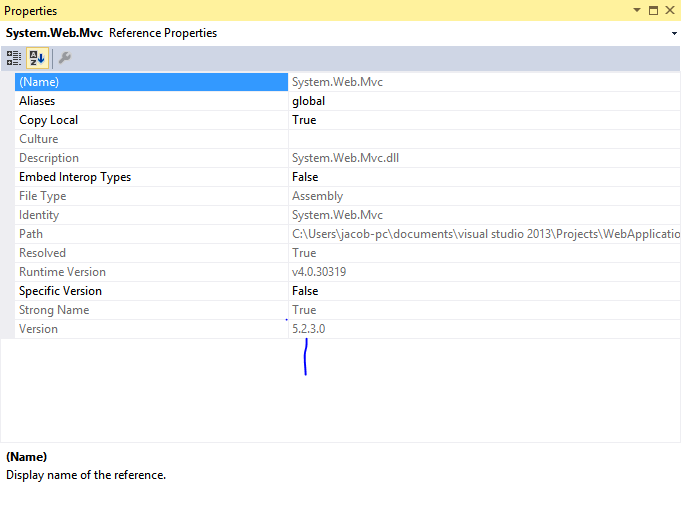
In this article, I will show you how to check MVC version of application. There are two methods, through which we can get the version of MVC. In the first method we use property of System.Web.MVC namespace. But, How to check, check the mentioned snap shots.
1. Expand References folder
2. Right click on System.Web.MVC namespace also select property , check the mentioned snap.